
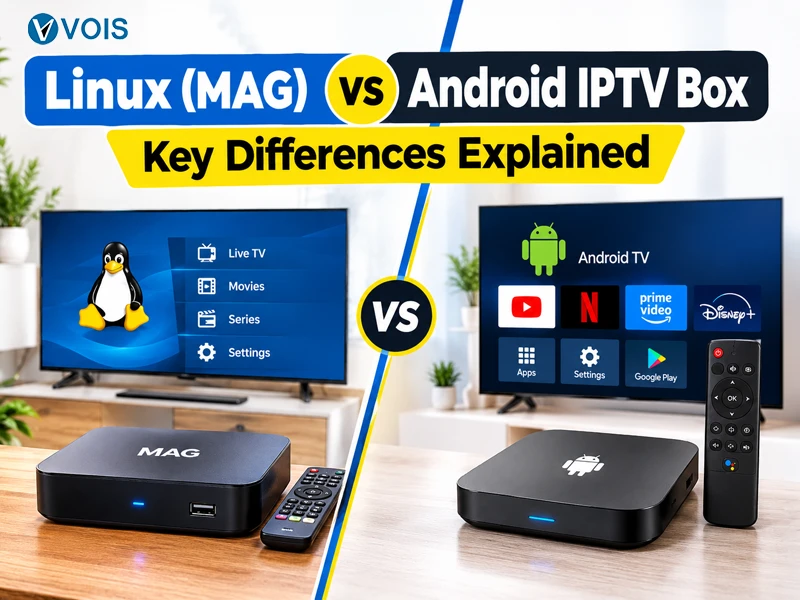
Comparing Linux IPTV box vs Android box always starts with a common question: Which one would give less trouble after the first week? Despite the resemblance in appearance between the MAG receiver which is based on Linux and the Android box, they have different principles of operation. This comparison will highlight the following factors.
Get access to thousands of live channels, movies, sports, and entertainment in HD and 4K. Choose a Vois IPTV subscription plan and start enjoying premium entertainment today.
VIEW IPTV SUBSCRIPTION PLANSMAG Box is a small receiver produced by Infomir. The firmware used in the device is a trimmed-down version of the Linux system which is meant for a single purpose only. Once you turn the device on, it immediately connects to the portal address allocated to it by your service.
Android TV box is a small computer which operates on an operating system that runs on mobile phones. Picture the mobile phone minus the screen, attached to your TV. Load all applications that you wish, log into your streaming service via the media player of your choice.
| Feature | Linux (MAG) Box | Android Box |
| Operating system | Custom Linux firmware | Android |
| Setup | Portal address and MAC registration | App download and login |
| App installation | Not supported | Fully supported |
| Stability | Very high | Varies by model |
| Boot time | Fast | Moderate |
| Security exposure | Low | Higher |
| Customization | Limited | Extensive |
| Typical price | Mid-range | Budget to premium |
| Best suited to | Simple, dependable viewing | Flexible, multi-purpose use |
A MAG player will get to its portal in seconds and the menu remains unchanged every day. The interface is lightweight, which means that the remote operates instantly. On the other hand, there is no certainty regarding Android. Everything depends on the hardware installed in the device, which may not work well due to too many background processes in the case of a low-quality model.
Linux-based firmware launches only a handful of processes in the background, which makes bufferings pretty unlikely to happen on a stable internet connection. An Android device can achieve the same thing, but it requires at least 2 GB of RAM. It demands a bit more attention in return.
There are only three brief steps to setting up a MAG box:
The setup for Android is a bit more complicated because there are many screens involved; however, those who have configured their smartphones before will be familiar with all these screens. You need to download the player and configure the settings according to your preference.
This is where Android wins clearly. One box can operate multiple players, mirror your phone screen or even do video chats. A MAG box does one thing and will stay with doing it and there are plenty of people who love it like that.
This comes with its price. The downloaded program may contain malware. It is therefore wise to download software only from trusted markets and to ensure that the system remains up-to-date. MAG box being closed keeps it safer, even though firmware updates are still required sometimes.
A MAG box is normally more expensive than the basic Android boxes, though it lasts many years without needing much maintenance. The price range of Android is much broader, ranging from very inexpensive to expensive. Both of these require you to have a proper IPTV subscription.
If you are planning on buying an IPTV box Canada wide, ensure that the vendor offers warranty and support.
Choosing between Linux IPTV box vs Android box depends largely on how one utilizes his/her television.
A Linux (MAG) box suits you if you:
An Android box suits you if you:
Even the best box cannot compensate for bad service. Network performance, licensing and customer service are important no less than the hardware itself. So make sure you do this before you buy:
Searching for IPTV Canada will give you a long list of providers; therefore, take note of reviews and avoid unusually low prices. Choose a provider who provides information on how the package works and how one can cancel subscriptions. One who wishes to Buy IPTV box Canada wide should also go for retailers whose deliveries are made from within Canada.
Not sure which IPTV service is right for you? Start with a free trial and experience the channels, streaming quality, and entertainment available with Vois IPTV before making your decision.
START YOUR FREE TRIALBoth options have their pros and cons and neither will be a clear choice for all. MAG players can be characterized by reliable work and minimal maintenance, but the Android box will suit those who want to play with software. Linux IPTV box vs Android box – let personal preferences and price range help you to decide. Check out the seller first before buying the box.
A MAG box uses a dedicated Linux-based firmware and is designed primarily for IPTV, offering a simple and focused experience. An Android box runs a broader operating system that supports many apps, providing more flexibility but potentially requiring more maintenance.
A MAG box may be a good choice for users who prefer a dedicated IPTV device with a straightforward interface. Android boxes are suitable for users who want to install and use a wider range of apps. The best option depends on your preferences and needs.
Most MAG boxes use closed firmware and do not support installing third-party apps like an Android box. They typically access IPTV through a portal provided by the service provider, offering a focused and simple user experience.
A MAG box is a receiver and generally requires a compatible IPTV portal and an active service account to access subscription content. Check the provider’s requirements before purchasing a package.
Depending on the device, IPTV boxes may support Wi-Fi, Ethernet, or both. Ethernet is often preferred for a more stable connection, while Wi-Fi can be convenient when the router is nearby and the signal is strong.
IPTV boxes are legitimate consumer electronics. The legality of the service depends on whether the provider has the necessary rights to distribute the content. Choose authorized IPTV services and avoid providers offering content without appropriate licensing.