
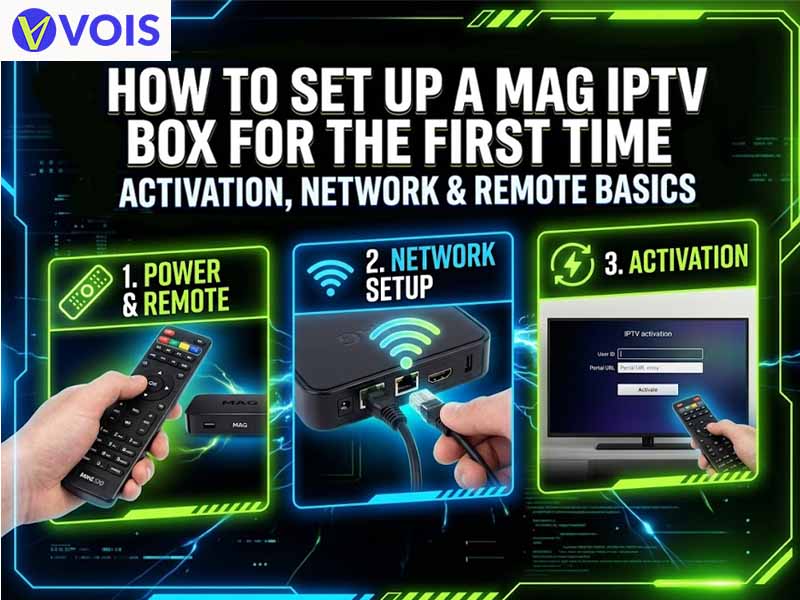
Getting a streaming device can be an exciting moment, but this excitement can quickly turn into confusion when you see a white screen asking for portal addresses. This guide covers each step of MAG box setup in a sequential manner such that your device is live and working with the remote.
Get access to thousands of live channels, movies, sports, and entertainment in HD and 4K. Choose a Vois IPTV subscription plan and start enjoying premium entertainment today.
VIEW IPTV SUBSCRIPTION PLANSA MAG box is a compact set-top player made by Infomir. It holds no channels of its own. Instead, it opens a portal supplied by your IPTV provider and streams content over the internet. Think of it as a dedicated television receiver for internet content, with no apps to update. The MAG540W3 IPTV box adds 4K output and built-in dual-band Wi-Fi to that formula.
People who test out several streaming devices tend to pick this device for the following reasons:
Connect the HDMI cable to the box and to the television and connect the power adapter. In case you would like to have a wired connection, you need to connect the Ethernet cable. Turn on the TV and select the corresponding HDMI source. You will see the booting logo in a short while.
Each MAG device has a MAC address which is unique. It starts from 00:1A:79 and is usually located either on the sticker under the box or in the menu of device information. Send it to your provider and he will register your subscription. This is the activation process. The provider may reply immediately or within working hours.
Playback experience depends on the connection quality. Here is the comparison of both options.
| Feature | Ethernet | Wi-Fi |
| Stability | Excellent | Good, varies with signal |
| Setup effort | Plug and play | Password entry required |
| Best suited for | HD and 4K streams | Rooms without cable access |
For Wi-Fi connection, go to Settings > Network and Wireless > Wi-Fi. Choose your network from the list, enter your password and wait for the confirmation. If the router is near you, use the 5GHz band.
Click the “SET” button on your remote and go to System Settings -> Servers -> Portals. Enter the name for Portal 1 and the URL provided by your provider. Restart your device after saving the details. Your channels will get activated automatically once the activation process is completed.
Most issues arise from minor mistakes rather than any problems with hardware. Some of the mistakes to be careful about include:
Try keeping the router within view whenever possible. Go for automatic DHCP configuration unless asked otherwise by your provider. At least 10 Mbps should be available for HD viewing while 25 Mbps is recommended for watching movies in 4K quality. Restart the router if there’s any buffering.
Most remotes can even control the volume and power button of your television. Simply go to Settings > Remote Control and the instructions will be on the screen after that.
Not sure which IPTV service is right for you? Start with a free trial and experience the channels, streaming quality, and entertainment available with Vois IPTV before making your decision.
START YOUR FREE TRIALCorrect MAG box setup guarantees that you will be able to enjoy reliable viewing for years to come. Check your MAC address, check your connection, learn how to use your remote control and always subscribe to a legal provider for your service.
A MAG IPTV box is a set-top box developed by Infomir that uses an internet connection to deliver TV content. It connects to your television through an HDMI cable and accesses channels through a compatible service provider’s portal.
The MAC address may be printed on the label underneath the box or displayed in the Settings menu under Device Information. On many MAG devices, it starts with 00:1A:79. Provide the correct address to your IPTV provider when activation requires it.
Open Settings, select Network, and choose the Wireless option if your model supports Wi-Fi. Select your network name, enter the password, and confirm the connection. Once connected, return to the portal menu and refresh or reload the portal if necessary.
A blank screen or portal error can result from an incorrect portal URL, an inactive MAC address, or an internet connection problem. Check your network, verify the portal details, and contact your IPTV provider to confirm that your device is activated.
MAG box setup usually takes around 10–15 minutes, depending on your network and provider. Connecting the cables, configuring the internet, and entering or loading the provider’s portal typically complete the basic setup.
No. The MAG540W3 is a media player and does not automatically include a TV channel subscription. You generally need a subscription from an authorized IPTV provider, which supplies the necessary portal details and activation instructions.